Utilities · Android app
Tape
A voice recorder that assumes you want to record. It starts the moment it opens, writes every second to disk as it goes, stops in milliseconds no matter how long you recorded, survives being killed, and never shows an ad.
Why I wrote my own
Every recorder I tried in the Play Store had ads, or a paid tier that quietly went back to ads after the app changed hands. And most of them do their real work when you press Stop: they write an index, copy a temp file, or encode only at save time, so an eight-hour recording takes half a minute to save and a crash before Stop means no file at all.
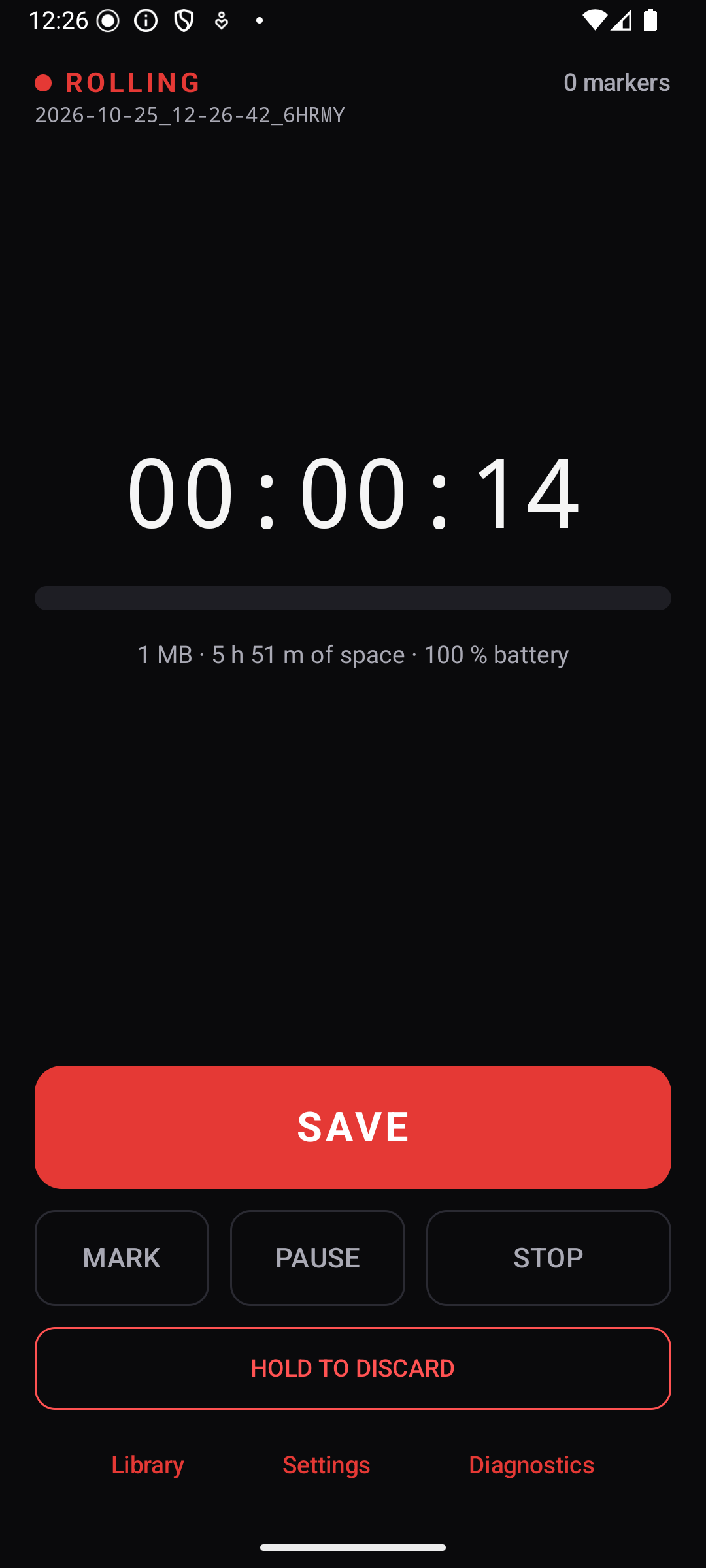
Tape does the opposite. Every 100 ms of audio is written as it arrives, the file is synced to flash every two seconds, and Stop patches a 44-byte header and renames a file. It is the same few milliseconds after eight hours as after eight seconds. And because Tape declares no network permission at all, there is nothing in it that can start showing ads later.
The other idea is what I think of as the Canon half-press: the camera commits the shot the moment you half-press, assuming the full press is coming. Tape starts recording the instant you open it. If you did not mean to, you discard, into a trash. Save never asks for a name; the file was named at the moment it began.
What it does
- Opens recordingThe tape rolls before the screen draws. Save is a lap: the current file is finalised and the very next sample goes into the next file, with no gap.
- Markers without lookingA button, the notification's Mark on the lock screen, the home-screen widget, a double-press of a volume key. Stored as standard WAV cue points, so Audacity, Reaper and Audition show them.
- Lossless WAV48 kHz, 16-bit, mono by default or stereo. Gain control, noise suppression and echo cancelling are turned off; the mic is opened privacy-sensitive so another app's dictation cannot silence it.
- Survives being killedForce-stop, reboot or crash mid-take: the next launch repairs the header from the real length and the take is there, minus at most the last two seconds.
- Never deletes audioDiscard is a press-and-hold that moves the take to a trash folder. Nothing in the app hard-deletes unless you purge the trash yourself.
- Files you ownPlain WAV files in Recordings/Tape with a small sidecar log next to each: device, source, every marker, pause, interruption, and the SHA-256 of the audio.
- Built for long sessionsA foreground service with a wake lock, a storage guard that warns thirty minutes before the disk fills, a watchdog that restarts capture if the audio server dies.
- Shows its numbersA Diagnostics screen with measured launch-to-first-sample, fsync latency, finalise time and drift, not promises.
Install
- Download the APK above and open it on the phone, or adb install -r Tape-0.1.0.apk over USB.
- Allow installing from this source when Android asks. The APK is signed with my key, so later versions install over this one.
- On first launch Tape asks once for four things and explains each: microphone (recording starts the instant you allow it), notifications (the lock-screen controls), all files access (so recordings live in Recordings/Tape, survive an uninstall, and show up over USB), and a battery exemption (so the phone does not kill a long recording). Nothing else is ever asked.
It is not in a store and will not be. The repository has the install guide and the checksums.
Hardware buttons, honestly
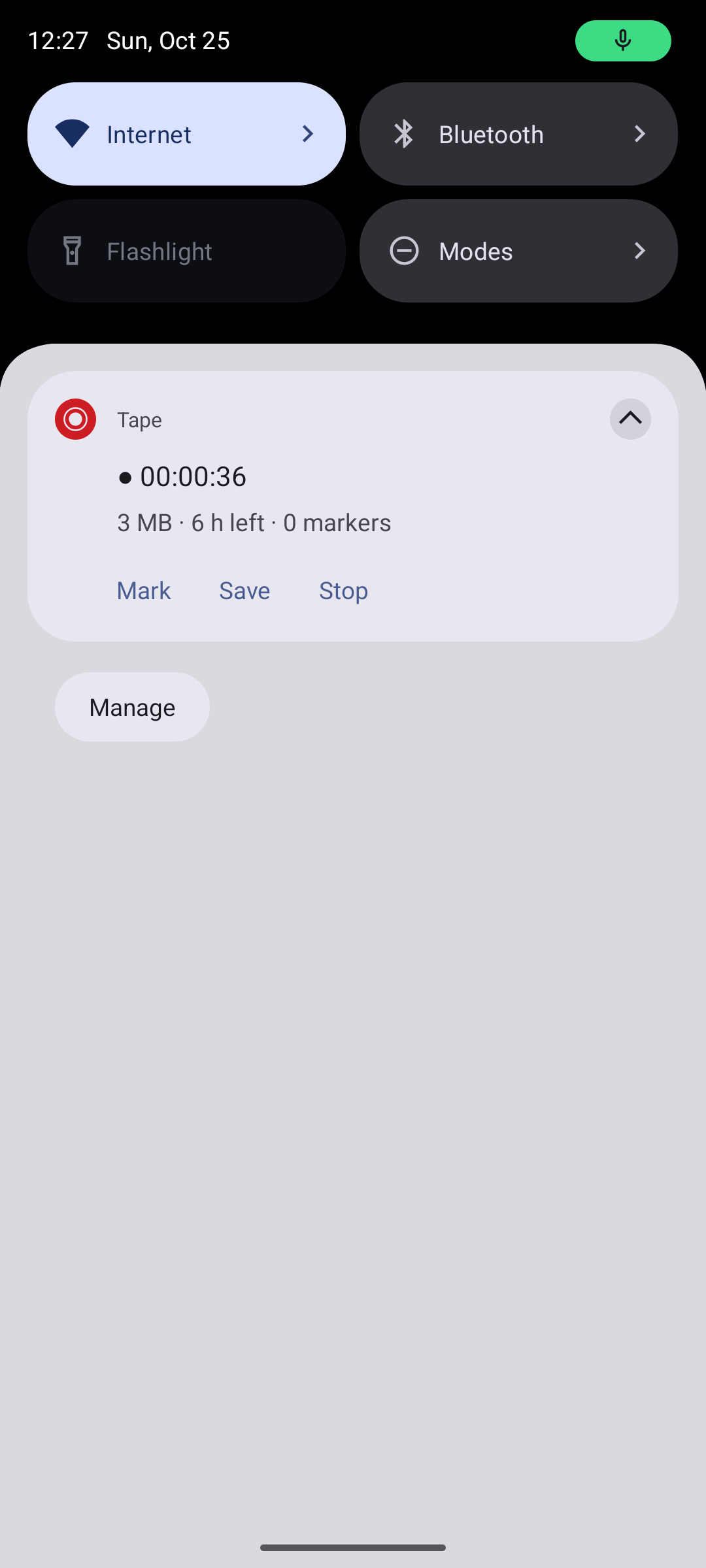
Android does not let a normal app open the microphone from a locked, screen-off phone on a button press. While Tape is rolling, the lock-screen notification carries Mark, Save and Stop, and after Stop it turns into a card with a Record button, all usable without unlocking. A volume-key double-press drops a marker with the screen on; with the screen off, Android only passes volume keys to apps on Android 16, or on 13 to 15 phones whose maker enabled it, so elsewhere the instruction is: press Power, then double-press.
What is verified
- 360Unit testsKill simulation at random byte offsets of real WAV files, recovery of every finalise step, lap continuity across laps and rolls, a full disk mid-take, overlapping sessions, the capture restart paths.
- 14 / 14Emulator checksA headless Android 16 run of the whole story: launch, rolling, the file grows, force-stop, relaunch, recovered, Stop from the notification.
- 1 phoneSo farDevice testing on real phones has only just begun; the repository's TESTS.md tracks the matrix. Treat vendor battery limits and screen-off volume keys as per-phone until it says otherwise.
Design and source
The whole app follows seven invariants, and every requirement and judgement call is written down before and after the code. MIT, Kotlin, Jetpack Compose, no framework beyond the Android SDK.
- README: the design the half-press, the write path, finalise and recovery, what happens when things fail
- SPEC.md the specification, with the amendments three independent reviews forced before any code existed
- DECISIONS.md every call and why, including what was rejected
- TESTS.md what has been run, on what, with the evidence
Built specification-first. The implementation was done by AI coding agents working in parallel against frozen contracts, then reviewed by separate agents for durability, Android platform rules and fidelity to the intent; the commit trailers say so. I set the criteria, made the calls, and test it on my own phones.